docker中安装Oracle 11g
1.安装docker 已完成,记录于centos中docker安装mysql 2.获取Oracle 11g docker镜像 [root@plmomn-gw ~]# docker pull registry.cn-hangzhou.aliyuncs.com/helowin/oracle_11g Using default tag: latest latest: Pulling from helowin/oracle_11g [DEPRECATION NOTICE] Docker Image Format v1 and Docker Image manifest version 2, schema 1 support is disabled by default and will be removed in an upcoming release. Suggest the author of registry.cn-hangzhou.aliyuncs.com/helowin/oracle_11g:latest to upgrade the image to the OCI Format or Docker Image manifest v2, schema 2. More information at https://docs.docker.com/go/deprecated-image-specs/ 3.创建容器 [root@plmomn-gw ~]# docker run -d –privileged -p 1521:1521 –name oracle11g – restart=always -v /home/oracle/data:/data/oracle registry.cn- hangzhou.aliyuncs.com/helowin/oracle_11g 命令说明: -p:端口映射,主机端口:容器端口 -v:挂载文件夹,主机文件夹:容器文件夹 –privileged 允许挂在数据卷,默认读写权限rw 创建成功 4.修改root密码 进入容器,切换到root用户 [root@plmomn-gw ~]# docker exec -it oracle11g bash [oracle@3fe959481973 /]$ su root Password: helowin 修改root用户密码,失败 [root@3fe959481973 /]# passwd
passwd: system_u:system_r:spc_t:s0 is not authorized to change the password of root 尝试先关闭外部主机SELinux再修改root密码,还是失败 [root@3fe959481973 /]# exit exit [oracle@3fe959481973 /]$ exit exit [root@plmomn-gw ~]# setenforce 0 #临时关闭 [root@plmomn-gw ~]# getenforce Permissive [root@plmomn-gw ~]# docker exec -it oracle11g bash [oracle@3fe959481973 /]$ su - root Password: [root@3fe959481973 ~]# pwd /root [root@3fe959481973 ~]# passwd passwd: system_u:system_r:spc_t:s0 is not authorized to change the password of root 尝试永久关闭vim /etc/selinux/config 修改后重启服务器生效,重启后再修改密码,成功 [root@plmomn-gw ~]# docker exec -it oracle11g bash [oracle@3fe959481973 /]$ su root Password: [root@3fe959481973 /]# passwd Changing password for user root. New password: Retype new password: passwd: all authentication tokens updated successfully. 5.配置环境变量 修改/etc/profile文件 [root@3fe959481973 /]# vi /etc/profile 末尾加上 export ORACLE_HOME=/home/oracle/app/oracle/product/11.2.0/dbhome_2 export ORACLE_SID=helowin export PATH=$ORACLE_HOME/bin:$PATH ORACLE_HOME:数据库的实例启动所需要的所有的程序和相关的文件位置 ORACLE_SID:用以指定默认的登录数据库。oracle_sid则是操作系统的环境变量,用户和操作系统交互,也就 是说要得到实例名,必须使用sid。在数据库安装结束时,oracle_sid已经是一个确定的字符串了,其值必须 与数据库实例名相同。
让配置文件生效source /etc/profile 同样的步骤修改 /home/oracle/.bashrc文件 [root@3fe959481973 /]# vi /home/oracle/.bashrc #末尾加上 export ORACLE_HOME=/home/oracle/app/oracle/product/11.2.0/dbhome_2 export ORACLE_SID=helowin export PATH=$ORACLE_HOME/bin:$PATH [root@3fe959481973 /]# source /home/oracle/.bashrc 创建软连接: [root@3fe959481973 oracle]# ln -s $ORACLE_HOME/bin/sqlplus /usr/bin 软连接:为文件在另一个位置建立一个不同的链接,ln -s 源文件模板文件 在不同目录需要用到相同文件时,只需要在目录下用ln命令链接就可以,不会重复占用磁盘空间。 6.修改用户密码 切换到Oracle用户,进入Oracle命令行修改 root@3fe959481973 /]# su - oracle [oracle@3fe959481973 ~]$ sqlplus /nolog SQL*Plus: Release 11.2.0.1.0 Production on Thu Nov 14 13:53:08 2024 Copyright (c) 1982, 2009, Oracle. All rights reserved. 以sysdba连接数据库,修改账户密码 SQL> connect /as sysdba; Connected. SQL> alter user system identified by 密码; User altered. SQL> alter user sys identified by 密码; User altered. 退出查看Oracle实例状态 [oracle@3fe959481973 ~]$ lsnrctl status LSNRCTL for Linux: Version 11.2.0.1.0 - Production on 14-NOV-2024 14:33:59 Copyright (c) 1991, 2009, Oracle. All rights reserved. Connecting to (DESCRIPTION=(ADDRESS=(PROTOCOL=IPC)(KEY=EXTPROC1521))) STATUS of the LISTENER Alias LISTENER Version TNSLSNR for Linux: Version 11.2.0.1.0 - Production Start Date 14-NOV-2024 10:37:08 Uptime 0 days 3 hr. 56 min. 50 sec Trace Level off Security ON: Local OS Authentication
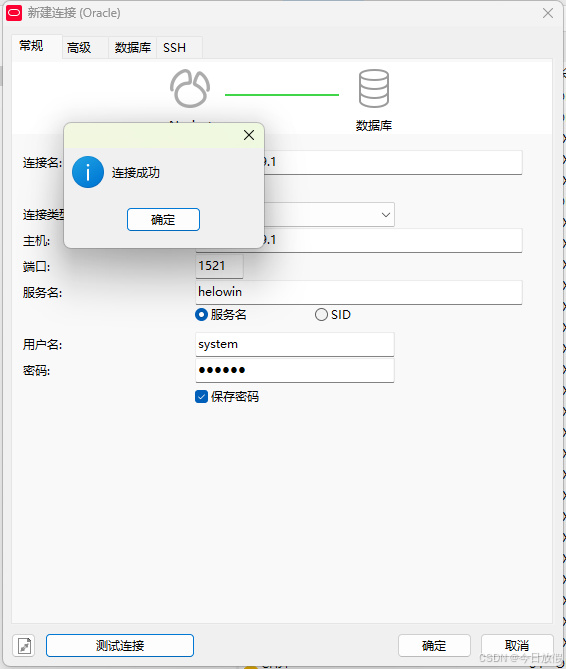
SNMP OFF Listener Parameter File /home/oracle/app/oracle/product/11.2.0/dbhome_2/network/admin/listener.ora Listener Log File /home/oracle/app/oracle/diag/tnslsnr/3fe959481973/listener/alert/log.xml Listening Endpoints Summary… (DESCRIPTION=(ADDRESS=(PROTOCOL=ipc)(KEY=EXTPROC1521))) (DESCRIPTION=(ADDRESS=(PROTOCOL=tcp)(HOST=3fe959481973)(PORT=1521))) Services Summary… Service “helowin” has 1 instance(s). Instance “helowin”, status READY, has 1 handler(s) for this service… Service “helowinXDB” has 1 instance(s). Instance “helowin”, status READY, has 1 handler(s) for this service… The command completed successfully 这时候用navicat已经可以连上了 后续尝试修改实例服务名