containerd安装与使用
一、Containerd 安装 下载二进制安装包 github链接地址:https://github.com/containerd/containerd/releases 上传安装包到服务器并开始解压安装 tar xf containerd-1.6.6-linux-amd64.tar.gz cp -r bin/* /usr/local/bin 创建/etc/system/system/containerd.service systemd service启动管理文件: 修改ExecStart=/usr/local/bin/containerd为当前containerd文件路径
Copyright The containerd Authors.
Licensed under the Apache License, Version 2.0 (the “License”);
you may not use this file except in compliance with the License.
You may obtain a copy of the License at
http://www.apache.org/licenses/LICENSE-2.0
Unless required by applicable law or agreed to in writing, software
distributed under the License is distributed on an “AS IS” BASIS,
WITHOUT WARRANTIES OR CONDITIONS OF ANY KIND, either express or implied.
See the License for the specific language governing permissions and
limitations under the License.
[Unit] Description=containerd container runtime Documentation=https://containerd.io After=network.target local-fs.target [Service] ExecStartPre=-/sbin/modprobe overlay ExecStart=/usr/local/bin/containerd Type=notify Delegate=yes KillMode=process
Restart=always RestartSec=5
Having non-zero Limit*s causes performance problems due to accounting overhead
in the kernel. We recommend using cgroups to do container-local accounting.
LimitNPROC=infinity LimitCORE=infinity LimitNOFILE=infinity
Comment TasksMax if your systemd version does not supports it.
Only systemd 226 and above support this version.
TasksMax=infinity OOMScoreAdjust=-999 [Install] WantedBy=multi-user.target 重新加载系统管理服务文件 systemctl daemon-reload 创建配置文件 mkdir /etc/containerd containerd config default > /etc/containerd/config.toml //这个命令会生成配置文件
修改配置文件 cd /etc/containerd/ vim config.toml vim下搜索/mirrors,添加镜像加速,使用docker镜像源即可,上下级配置,缩进两个空格。 [plugins.“io.containerd.grpc.v1.cri”.registry.mirrors] [plugins.“io.containerd.grpc.v1.cri”.registry.mirrors.“docker.io”] endpoint = [“https://dxc7f1d6.mirror.aliyuncs.com”] 如果是从docker.io下载进行,则使用endpoint配置的镜像站点加速下载
启动containerd并设置开机自启动 systemctl enable containerd –now 二、安装runc github下载链接: 解压并安装 chmod +x runc.amd64 cp runc.amd64 /usr/local/bin/runc 三、验证使用containerd containerd是ctrl工具在服务器上创建、管理和使用容器 root@containerd:~# ctr –help NAME: ctr - __ / /_ / _/ / / / // // / _/_// containerd CLI USAGE: ctr [global options] command [command options] [arguments…] VERSION: v1.6.6 DESCRIPTION: ctr is an unsupported debug and administrative client for interacting
with the containerd daemon. Because it is unsupported, the commands, options, and operations are not guaranteed to be backward compatible or stable from release to release of the containerd project. COMMANDS: plugins, plugin provides information about containerd plugins version print the client and server versions containers, c, container manage containers content manage content events, event display containerd events images, image, i manage images leases manage leases namespaces, namespace, ns manage namespaces pprof provide golang pprof outputs for containerd run run a container snapshots, snapshot manage snapshots tasks, t, task manage tasks install install a new package oci OCI tools shim interact with a shim directly help, h Shows a list of commands or help for one command GLOBAL OPTIONS: –debug enable debug output in logs –address value, -a value address for containerd’s GRPC server (default: “/run/containerd/containerd.sock”) [$CONTAINERD_ADDRESS] –timeout value total timeout for ctr commands (default: 0s) –connect-timeout value timeout for connecting to containerd (default: 0s) –namespace value, -n value namespace to use with commands (default: “default”) [$CONTAINERD_NAMESPACE] –help, -h show help –version, -v print the version 拉取镜像 与docker区别在于拉取官方镜像必须指定镜像的完整名称包括镜像仓库地址 root@containerd:~# ctr images pull docker.io/library/nginx:latest
查看本地的镜像
root@containerd:# ctr images ls
运行容器
root@containerd:# ctr run -t docker.io/library/nginx:latest container1 bash
四、container客户端工具
客户端工具有两种,分别是crictl和nerdctl
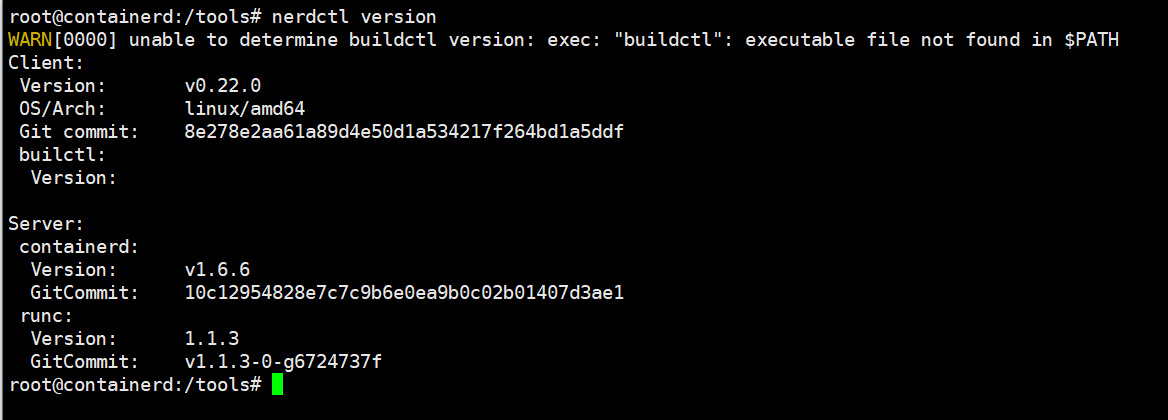
推荐使用nerdctl,使用效果与docker命令的语法一致 github下载链接:https://github.com/containerd/nerdctl/releases 下载安装nerdctl 解压安装nerdctl 拷贝nerdctl到系统二进制命令路径下 root@containerd:/tools# cp nerdctl /usr/local/bin/ 验证版本
查看nerdctl使用帮助,与docker客户端工具使用方法基本一致 nerdctl –help nerdctl is a command line interface for containerd Config file ($NERDCTL_TOML): /etc/nerdctl/nerdctl.toml Usage: nerdctl [flags] nerdctl [command] Management commands: apparmor Manage AppArmor profiles builder Manage builds container Manage containers image Manage images ipfs Distributing images on IPFS namespace Manage containerd namespaces network Manage networks system Manage containerd volume Manage volumes Commands: build Build an image from a Dockerfile. Needs buildkitd to be running. commit Create a new image from a container’s changes completion Generate the autocompletion script for the specified shell compose Compose cp Copy files/folders between a running container and the local filesystem. create Create a new container. Optionally specify “ipfs://” or “ipns://” scheme to pull image from IPFS. events Get real time events from the server
exec Run a command in a running container
help Help about any command
history Show the history of an image
images List images
info Display system-wide information
inspect Return low-level information on objects.
kill Kill one or more running containers
load Load an image from a tar archive or STDIN
login Log in to a Docker registry
logout Log out from a Docker registry
logs Fetch the logs of a container. Currently, only containers created with
nerdctl run -d are supported.
pause Pause all processes within one or more containers
port List port mappings or a specific mapping for the container
ps List containers
pull Pull an image from a registry. Optionally specify “ipfs://” or “ipns://”
scheme to pull image from IPFS.
push Push an image or a repository to a registry. Optionally specify “ipfs://”
or “ipns://” scheme to push image to IPFS.
rename rename a container
restart Restart one or more running containers
rm Remove one or more containers
rmi Remove one or more images
run Run a command in a new container. Optionally specify “ipfs://” or
“ipns://” scheme to pull image from IPFS.
save Save one or more images to a tar archive (streamed to STDOUT by default)
start Start one or more running containers
stats Display a live stream of container(s) resource usage statistics.
stop Stop one or more running containers
tag Create a tag TARGET_IMAGE that refers to SOURCE_IMAGE
top Display the running processes of a container
unpause Unpause all processes within one or more containers
update Update one or more running containers
version Show the nerdctl version information
wait Block until one or more containers stop, then print their exit codes.
Flags:
-H, –H string Alias of –address (default
“/run/containerd/containerd.sock”)
-a, –a string Alias of –address (default
“/run/containerd/containerd.sock”)
–address string containerd address, optionally with “unix://” prefix
[$CONTAINERD_ADDRESS] (default “/run/containerd/containerd.sock”)
–cgroup-manager string Cgroup manager to use (“cgroupfs”|“systemd”) (default
“cgroupfs”)
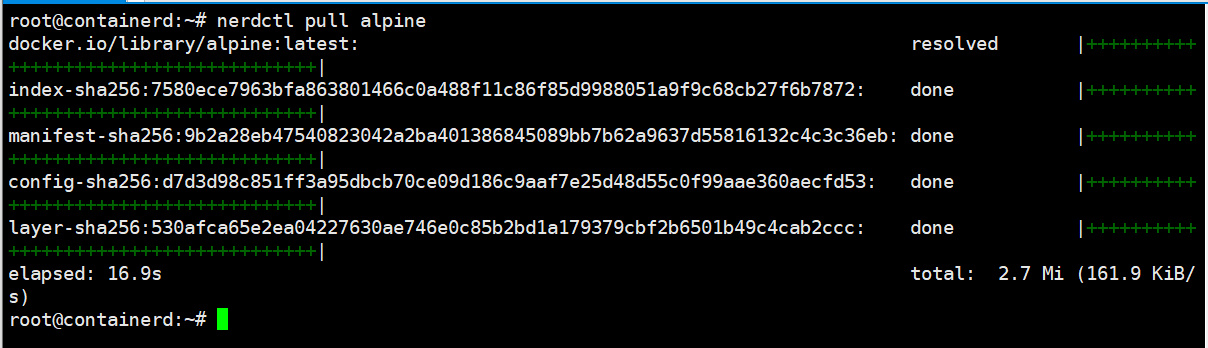
–cni-netconfpath string cni config directory [$NETCONFPATH] (default “/etc/cni/net.d”) –cni-path string cni plugins binary directory [$CNI_PATH] (default “/opt/cni/bin”) –data-root string Root directory of persistent nerdctl state (managed by nerdctl, not by containerd) (default “/var/lib/nerdctl”) –debug debug mode –debug-full debug mode (with full output) -h, –help help for nerdctl –host string Alias of –address (default “/run/containerd/containerd.sock”) –hosts-dir strings A directory that contains HOST:PORT /hosts.toml (containerd style) or HOST:PORT /{ca.cert, cert.pem, key.pem} (docker style) (default [/etc/containerd/certs.d,/etc/docker/certs.d]) –insecure-registry skips verifying HTTPS certs, and allows falling back to plain HTTP -n, –n string Alias of –namespace (default “default”) –namespace string containerd namespace, such as “moby” for Docker, “k8s.io” for Kubernetes [$CONTAINERD_NAMESPACE] (default “default”) –snapshotter string containerd snapshotter [$CONTAINERD_SNAPSHOTTER] (default “overlayfs”) –storage-driver string Alias of –snapshotter (default “overlayfs”) -v, –version version for nerdctl Use “nerdctl [command] –help” for more information about a command. 查看镜像、容器: 拉取镜像:
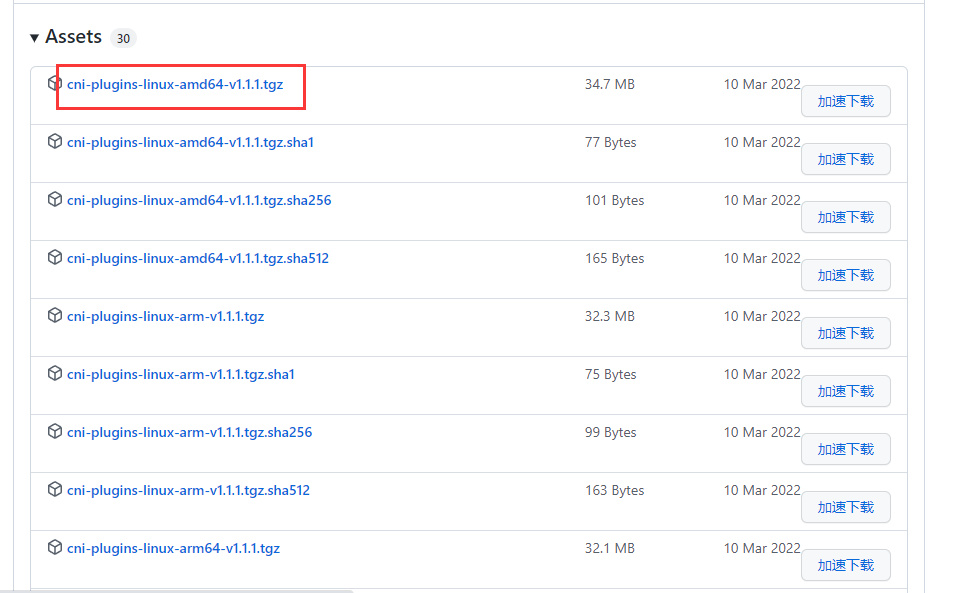
五、安装cni网络插件 CNI:Container network interface容器网络接口,为容器分配ip地址网卡等 github链接: https://github.com/containernetworking/plugins/releases 下载安装cni,并解压到/usr/local/cni/bin目录下 mkdir /opt/cni/bin -p tar xf cni-plugins-linux-amd64-v1.1.1.tgz -C /opt/cni/bin/ 查看解压后的cni插件文件:
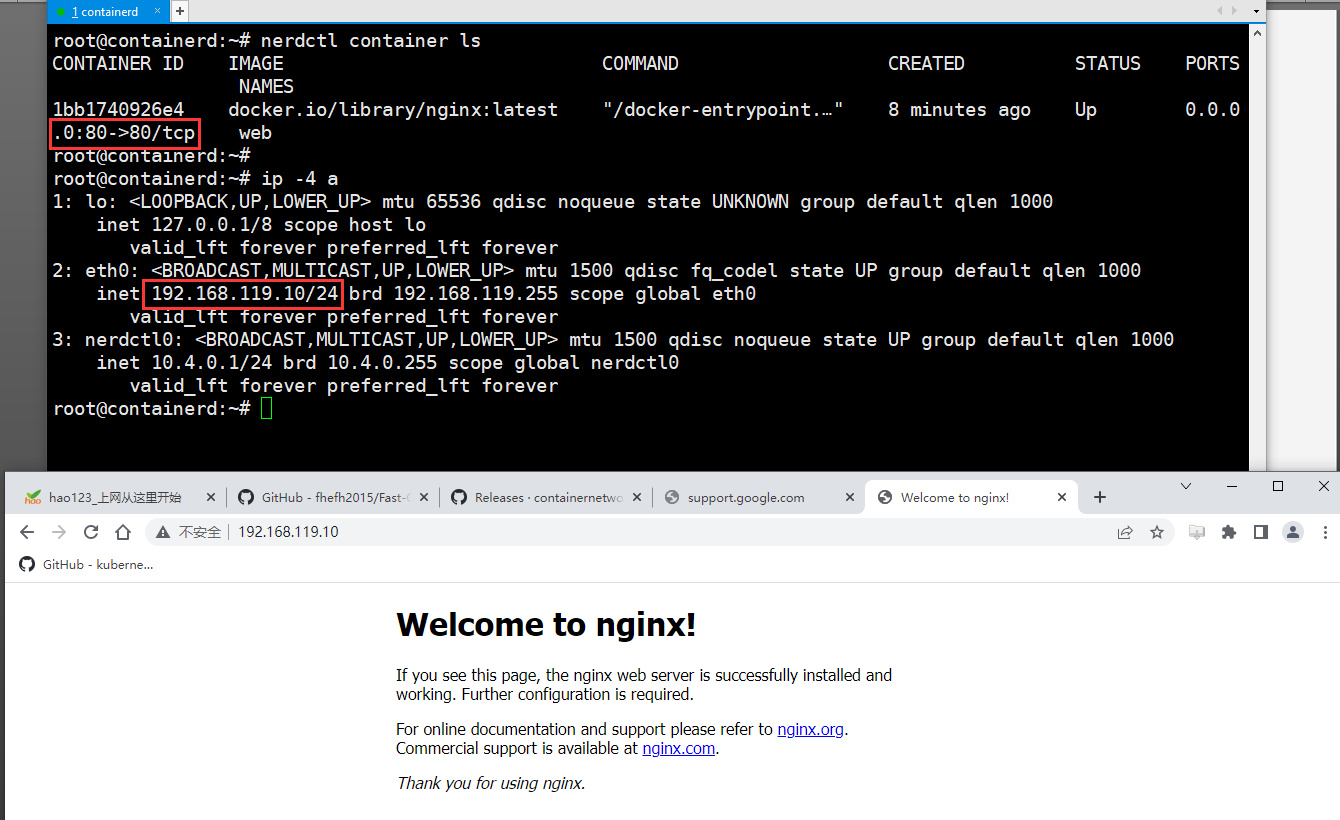
注意:必须将cni解压到/opt/cni/bin,否则nerdctl为容器映射端口时,会出现找不到cni插件的报错 nerdctl run -d -p 80:80 –name=web –restart=always nginx:latest FATA[0000] needs CNI plugin “bridge” to be installed in CNI_PATH ("/opt/cni/bin"), see https://github.com/con stat /opt/cni/bin/bridge: no such file or directory 验证:使用nerdctl运行一个容器 宿主机访问容器映射到宿主机80端口