solr-8.11单机安装
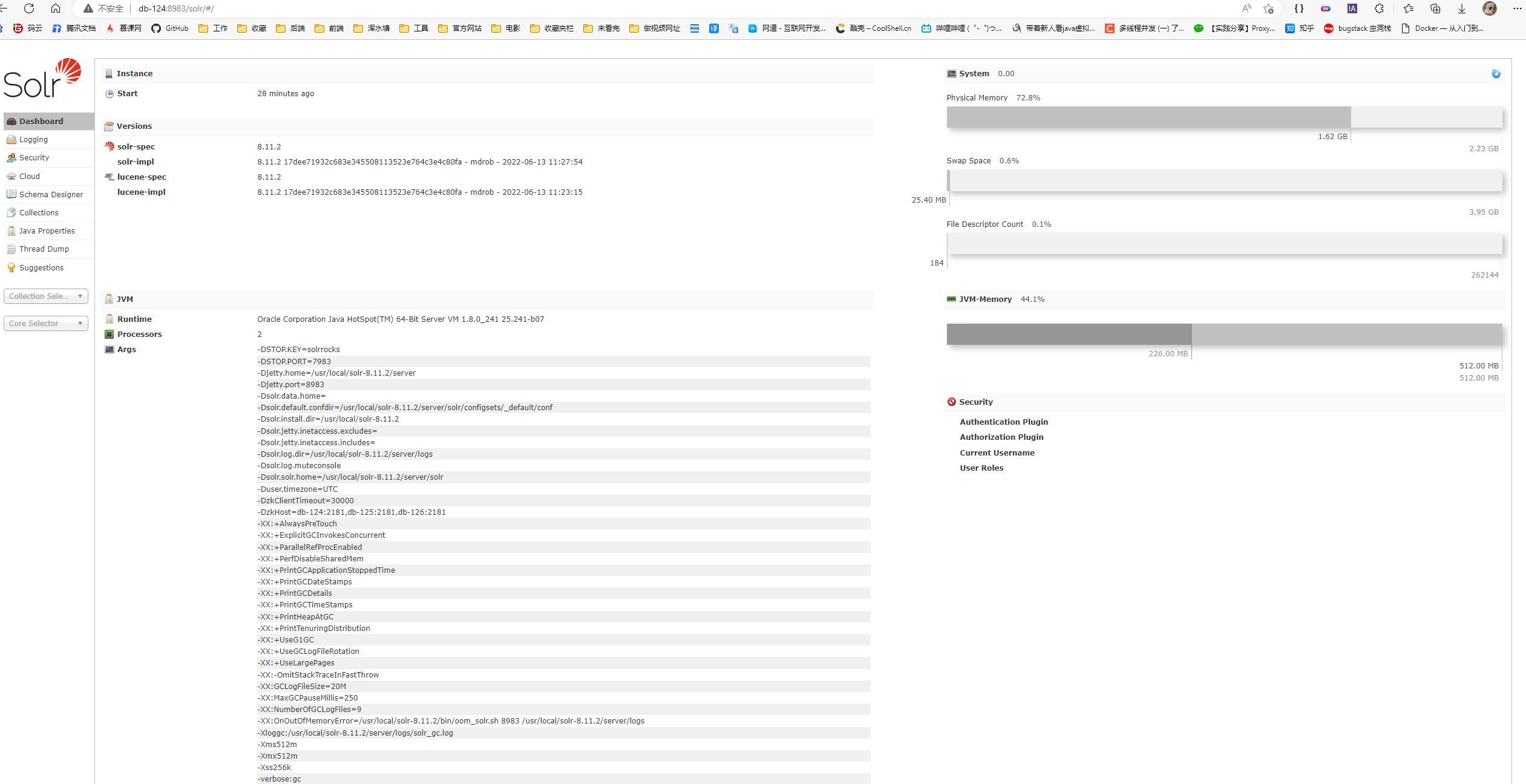
1、官网下载最新版的solr 官网地址:https://solr.apache.org/downloads.html 上传压缩包到服务器,解压压缩包将解压后的文件下移动到自己的目录下 tar-zxvf solr-8.11.2.tgz mv solr-8.11.2 /usr/local/ 2、solr单机服务启动 增加solr用户以及solr组 cd 至solr文件夹下进入到bin目录启动服务默认IP为8983 调整防火墙IP groupadd solr useradd solr -G solr chown -R solr.solr /usr/local/solr-8.11.2 cd /usr/local/solr-8.11.2 ./bin/solr start -force #启动服务
新建core 1、复制configsets/_default/conf 到新建的core目录下 pe_book为新建的core cd .. cd .. cp -rf solr-8.10.1/server/solr/configsets/_default/conf solr-8.10.1/server/solr/pe_book/ 或者 cp -rf /usr/local/solr-8.10.1/server/solr/configsets/_default/conf /usr/local/solr- 8.10.1/server/solr/pe_book/ 2、新建core
三、中文分词插件安装 1、solr8 自带分词工具 在slor的 solr-8.10.1/contrib/analysis-extras/lucene-libs 目录下找到lucene-analyzers-smartcn-8.10.1.jar cp 到 webapp 路径的lib 下路径为 solr-8.10.1/server/solr-webapp/webapp/WEB-INF/lib 配置文件managed-schema 增加配置 大抵命令原理是这样得 cp contrib/analysis-extras/lucene-libs/lucene-analyzers-smartcn-8.10.1.jar server/solr- webapp/webapp/WEB-INF/lib/ image.png
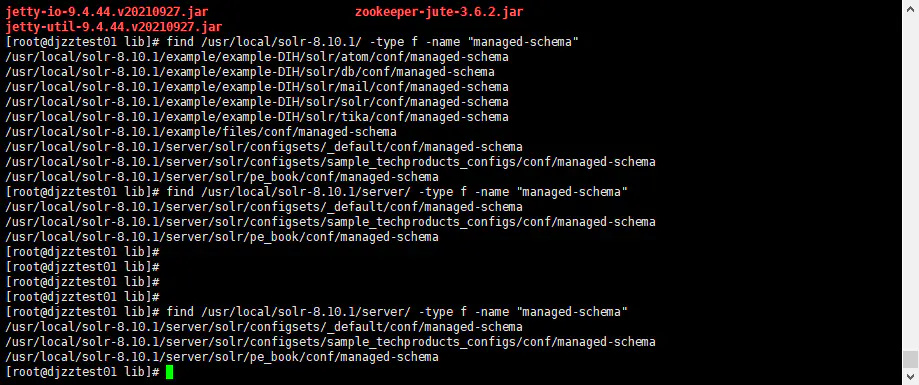
cd /usr/local/solr-8.10.1/server/solr/pe_book/conf/ 如果你找不到managed-schema在哪,可以使用以下命令进行查询 find /usr/local/ -type f -name “managed-schema”
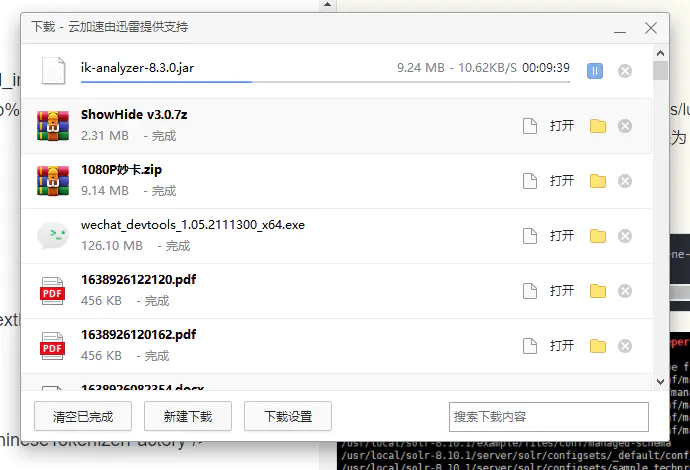
等待下载…… jar 包放到这个位置: solr-8.10.1\server\solr-webapp\webapp\WEB-INF\lib 配置文件managed-schema 增加配置
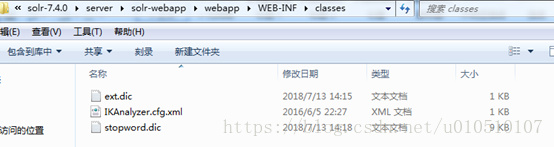
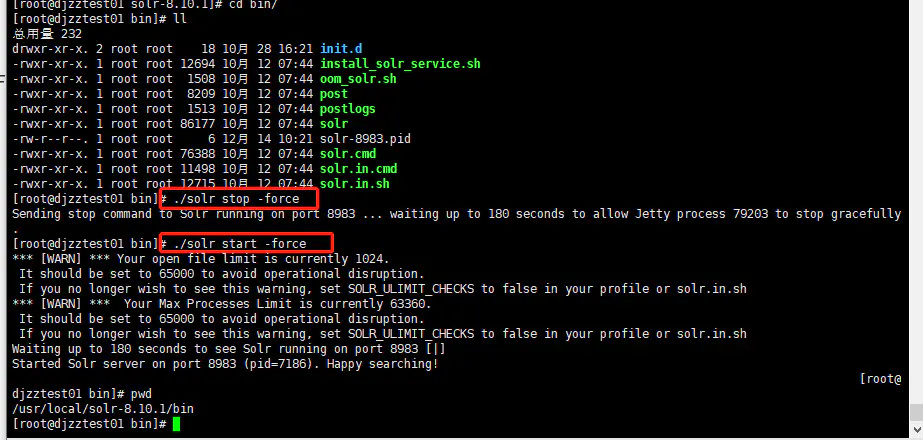
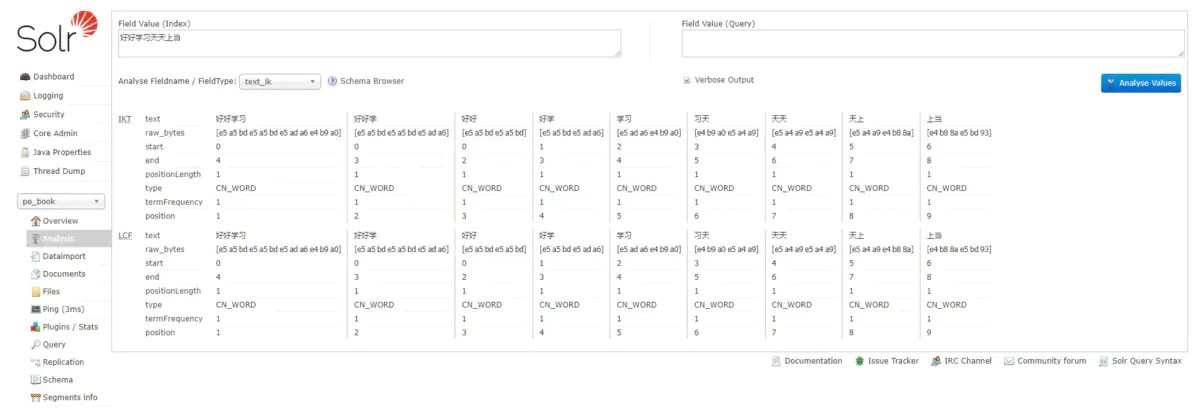
上图是ext.dic文件中的内容,注意编辑此文件时字符编码最好是UTF-8无BOM模式,这个可以通过EditPlus等文本编辑 工具设置。下面开始在Schema中应用分词器如下图: 重启solr服务验证是否成功 cd /usr/local/solr-8.10.1/bin/ ./solr stop -force ./solr start -force
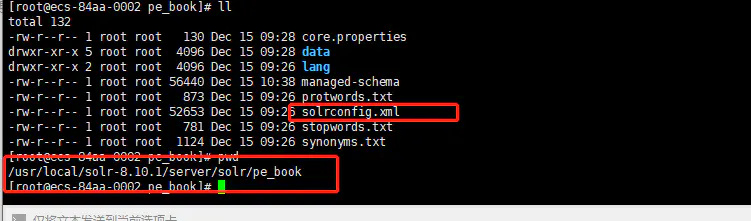
四、数据库数据导入 1、导入相关包: 从Solr源码包的dist文件夹中导入两个包一个是:solr-dataimporthandler包(solr-8.10.1/dist),另一个mysql驱动包。 cp ../../maven/repository/mysql/mysql-connector-java/8.0.18/mysql-connector-java- 8.0.18.jar server/solr-webapp/webapp/WEB-INF/lib/ cp dist/solr-dataimporthandler-8.11.2.jar server/solr-webapp/webapp/WEB-INF/lib/ 2、编辑core中conf下的solrconfig文件在文件末尾添加以下内容 data-config.xml
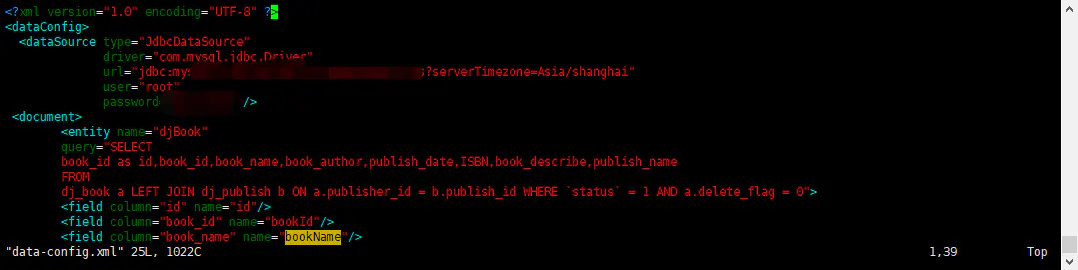
就是这个文件 然后再本目录下的data-config.xml进行如下编辑(没有则创建)
然后在当前路径的managed-schema文件末尾加入相应的类型映射
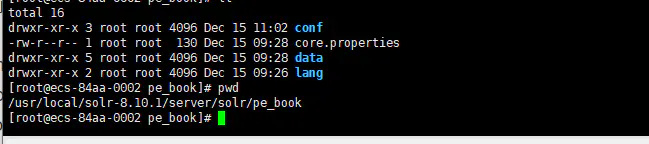
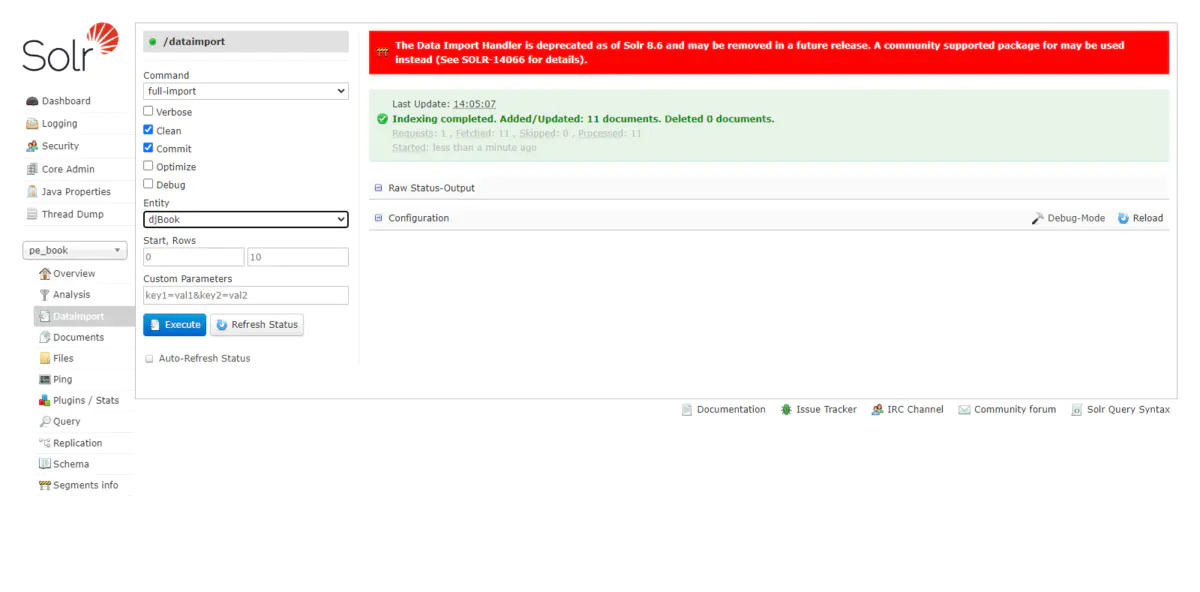
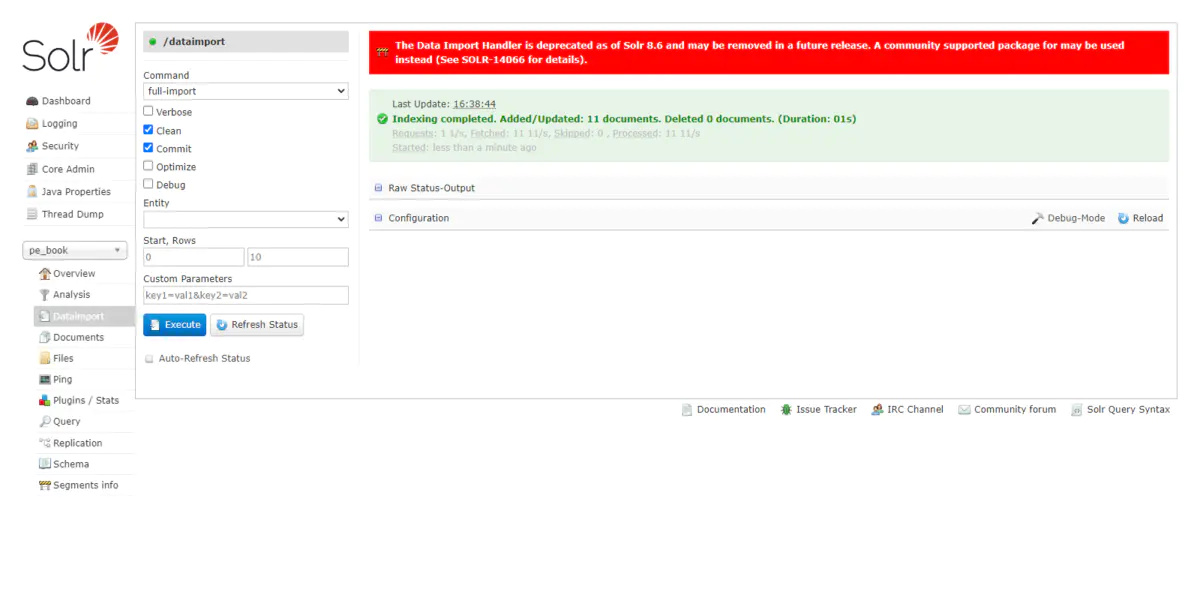
//name:名字随便取 type:分词的类型 indexed:是否建立索引 stored:是否储存到硬盘 登陆http://localhost:8983/solr/,进入以下模块,执行excute就导入数据了,没反应过来可以进行refresh status 下图为新的core服务目录和结构: 报错信息
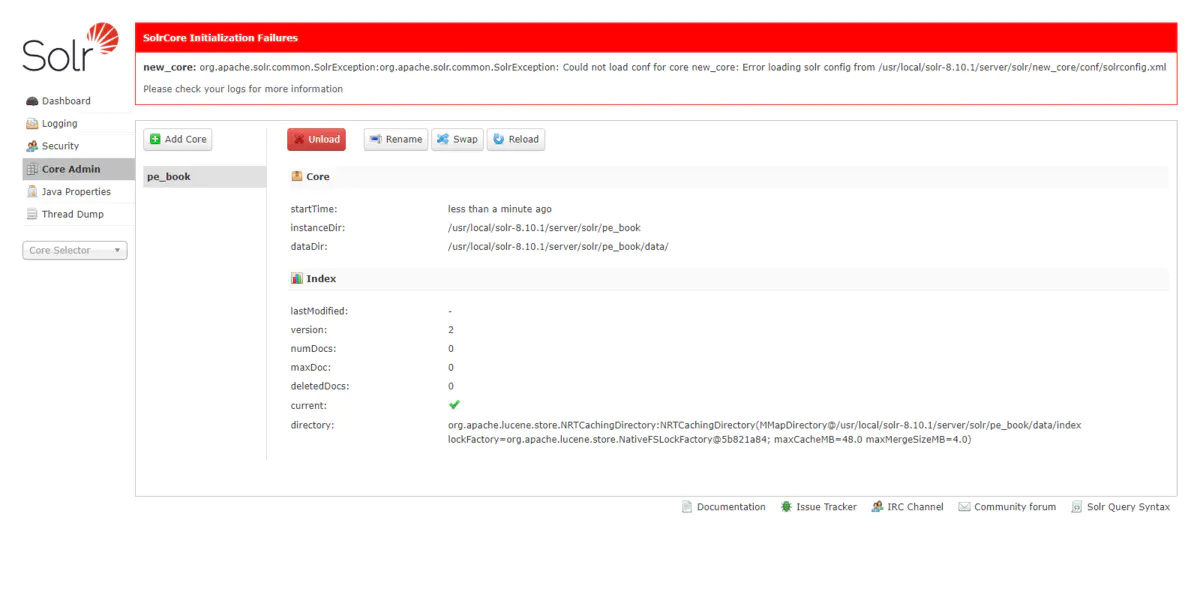
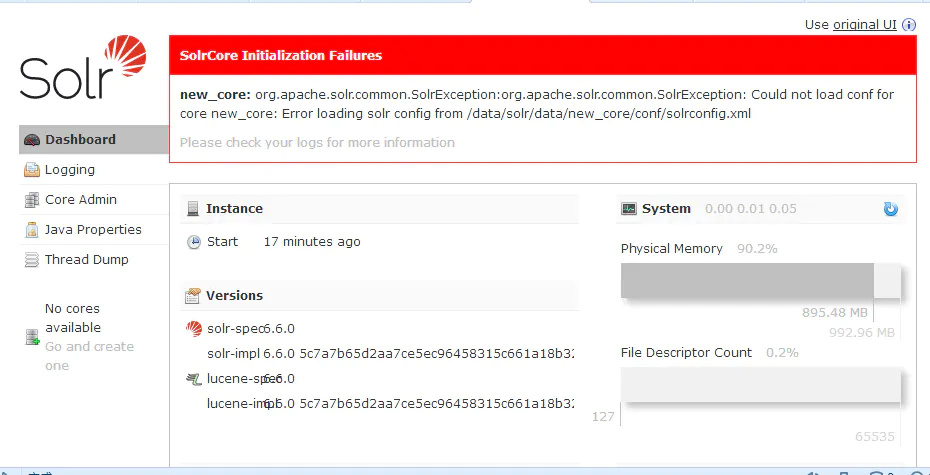
1、如果存在以下报错信息 Could not load conf for core new_core image.png new_core: org.apache.solr.common.SolrException:org.apache.solr.common.SolrException: Could not load conf for core new_core: Error loading solr config from /data/solr/data/new_core/conf/solrconfig.xml 解決方法: 刪除new_core 即可 cd /usr/local/solr-8.10.1/bin ./solr delete -c new_core 2、如果是以下信息 Caused by: com.mysql.cj.exceptions.InvalidConnectionAttributeException: The server time zone value ‘೦й೦೦೦ʱ೦೦’ is unrecognized or represents more than one time zone. You must configure either the server or JDBC driver (via the serverTimezone configuration property) to use a more specifc time zone value if you want to utilize time zone support. at sun.reflect.NativeConstructorAccessorImpl.newInstance0(Native Method)
解決方法:
需要配置data-config.xml文件,在第6行url后添加“?serverTimezone=UTC”,如下所示:
image.png
?serverTimezone=UTC
或
?serverTimezone=Asia/shanghai
3、如果是查询中出了#8023
Unable to execute query: SELECT book_id as
id,book_id,book_name,book_author,publish_date,ISBN,
203;book_describe,publish_name FROM dj_book a LEFT JOIN dj_publish b ON
a.publisher_id = b.publish_id WHERE status = 1 AND a.delete_flag = 0 Processing
Document # 1
image.png 解決方法: 参考第五条 我特么也是服服得了,你多等一会把,我多等一会就好了,可能重启需要一些时间 image.png 4、如果是以下报错信息,那么就是你没有mysql驱动 Full Import failed:java.lang.RuntimeException: java.lang.RuntimeException: org.apache.solr.handler.dataimport.DataImportHandlerException: Could not load driver: com.mysql.jdbc.Driver Processing Document # 1 at org.apache.solr.handler.dataimport.DocBuilder.execute(DocBuilder.java:275) at org.apache.solr.handler.dataimport.DataImporter.doFullImport(DataImporter.java:427) at org.apache.solr.handler.dataimport.DataImporter.runCmd(DataImporter.java:486) at org.apache.solr.handler.dataimport.DataImporter.lambda$runAsync$0(DataImporter.java:469)
at java.lang.Thread.run(Thread.java:748) Caused by: java.lang.RuntimeException: org.apache.solr.handler.dataimport.DataImportHandlerException: Could not load driver: com.mysql.jdbc.Driver Processing Document # 1 at org.apache.solr.handler.dataimport.DocBuilder.buildDocument(DocBuilder.java:437) at org.apache.solr.handler.dataimport.DocBuilder.doFullDump(DocBuilder.java:350) at org.apache.solr.handler.dataimport.DocBuilder.execute(DocBuilder.java:235) … 4 more Caused by: org.apache.solr.handler.dataimport.DataImportHandlerException: Could not load driver: com.mysql.jdbc.Driver Processing Document # 1 at org.apache.solr.handler.dataimport.DataImportHandlerException.wrapAndThrow(DataImportHand lerException.java:69) at org.apache.solr.handler.dataimport.JdbcDataSource.createConnectionFactory(JdbcDataSource. java:159) at org.apache.solr.handler.dataimport.JdbcDataSource.init(JdbcDataSource.java:80) at org.apache.solr.handler.dataimport.DataImporter.getDataSourceInstance(DataImporter.java:4 00) at org.apache.solr.handler.dataimport.ContextImpl.getDataSource(ContextImpl.java:102) at org.apache.solr.handler.dataimport.SqlEntityProcessor.init(SqlEntityProcessor.java:53) at org.apache.solr.handler.dataimport.EntityProcessorWrapper.init(EntityProcessorWrapper.jav a:78) at org.apache.solr.handler.dataimport.DocBuilder.buildDocument(DocBuilder.java:454) at org.apache.solr.handler.dataimport.DocBuilder.buildDocument(DocBuilder.java:435) … 6 more 解决办法: 没有安装mysql驱动 mysql驱动包官网
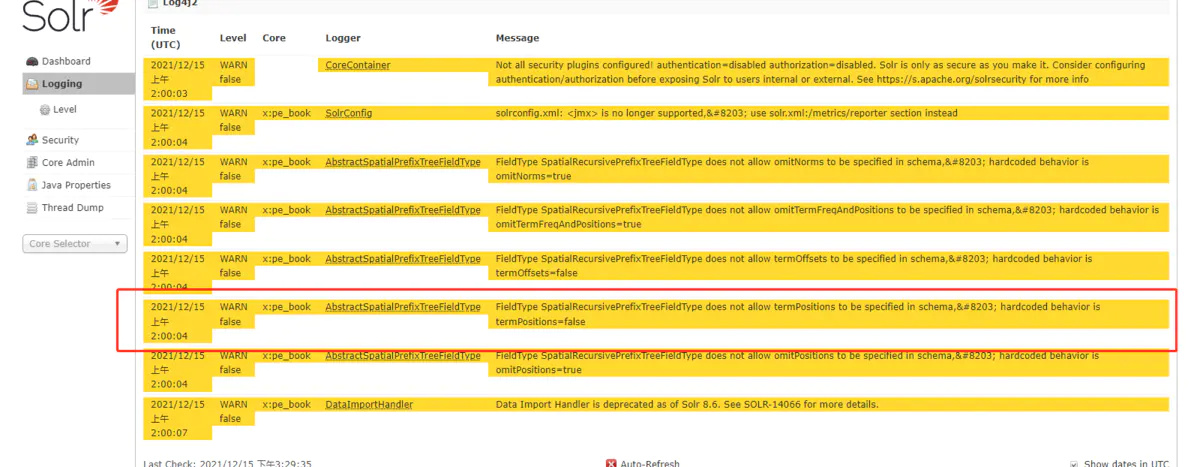
我得安装文档没有仔细看把 5、 FieldType SpatialRecursivePrefixTreeFieldType does not allow termPositions to be specified in schema, hardcoded behavior is termPositions=false image.png 解决方案: 查看当前系统字符集
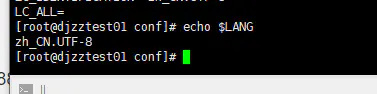
locale image.png 查看当前系统字符集 echo $LANG image.png image.png
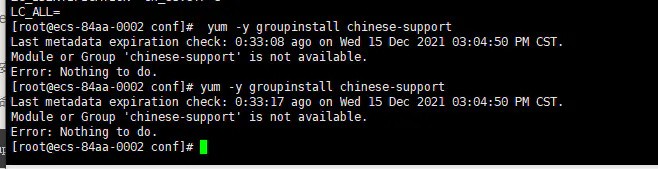
zh_CN.UTF-8 的才是中文的 查看是否安装了zh这个字符集 locale -a |grep zh 如未安装,可进行安装 yum -y groupinstall chinese-support 如果这个装不上 如果这条命令不好使,看看是不是centos8,可使用以下命令 yum groupinstall “fonts”
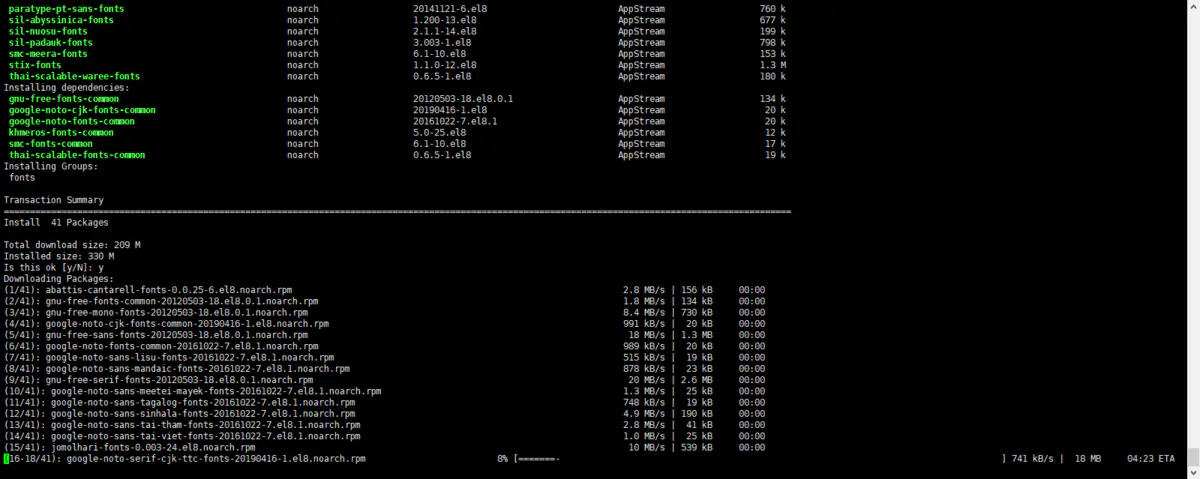
安装中 临时修改(当前终端生效): export LANG=“zh_CN.UTF-8” 永久修改: echo “export LANG=“zh_CN.UTF-8” » /etc/proflile source /etc/profile yum groupinstall “fonts” Last metadata expiration check: 0:35:23 ago on Wed 15 Dec 2021 03:04:50 PM CST. Dependencies resolved.
============================================================= Package Architecture Version Repository Size
============================================================= Installing group/module packages: abattis-cantarell-fonts noarch 0.0.25- 6.el8 AppStream 156 k dejavu-sans-mono-fonts noarch 2.35-7.el8 BaseOS 447 k dejavu-serif-fonts noarch 2.35-7.el8 BaseOS 803 k gnu-free-mono-fonts noarch 20120503- 18.el8.0.1 AppStream 730 k gnu-free-sans-fonts noarch 20120503- 18.el8.0.1 AppStream 1.3 M gnu-free-serif-fonts noarch 20120503- 18.el8.0.1 AppStream 2.6 M google-noto-sans-cjk-ttc-fonts noarch 20190416- 1.el8 AppStream 85 M
google-noto-sans-lisu-fonts noarch 20161022- 7.el8.1 AppStream 19 k google-noto-sans-mandaic-fonts noarch 20161022- 7.el8.1 AppStream 23 k google-noto-sans-meetei-mayek-fonts noarch 20161022- 7.el8.1 AppStream 25 k google-noto-sans-sinhala-fonts noarch 20161022- 7.el8.1 AppStream 190 k google-noto-sans-tagalog-fonts noarch 20161022- 7.el8.1 AppStream 19 k google-noto-sans-tai-tham-fonts noarch 20161022- 7.el8.1 AppStream 41 k google-noto-sans-tai-viet-fonts noarch 20161022- 7.el8.1 AppStream 25 k google-noto-serif-cjk-ttc-fonts noarch 20190416- 1.el8 AppStream 109 M jomolhari-fonts noarch 0.003- 24.el8 AppStream 539 k julietaula-montserrat-fonts noarch 1:7.200- 2.el8.2 AppStream 2.6 M khmeros-base-fonts noarch 5.0-25.el8 AppStream 129 k lohit-assamese-fonts noarch 2.91.5- 3.el8 AppStream 79 k lohit-bengali-fonts noarch 2.91.5- 3.el8 AppStream 79 k lohit-devanagari-fonts noarch 2.95.4- 3.el8 AppStream 97 k lohit-gujarati-fonts noarch 2.92.4- 3.el8 AppStream 46 k lohit-gurmukhi-fonts noarch 2.91.2- 3.el8 AppStream 32 k lohit-kannada-fonts noarch 2.5.4- 3.el8 AppStream 58 k lohit-odia-fonts noarch 2.91.2- 3.el8 AppStream 61 k lohit-tamil-fonts noarch 2.91.3- 3.el8 AppStream 39 k lohit-telugu-fonts noarch 2.5.5- 3.el8 AppStream 129 k paktype-naskh-basic-fonts noarch 4.1-9.el8 AppStream 431 k paratype-pt-sans-fonts noarch 20141121- 6.el8 AppStream 760 k sil-abyssinica-fonts noarch 1.200- 13.el8 AppStream 677 k sil-nuosu-fonts noarch 2.1.1- 14.el8 AppStream 199 k
sil-padauk-fonts noarch 3.003- 1.el8 AppStream 798 k smc-meera-fonts noarch 6.1-10.el8 AppStream 153 k stix-fonts noarch 1.1.0- 12.el8 AppStream 1.3 M thai-scalable-waree-fonts noarch 0.6.5- 1.el8 AppStream 180 k Installing dependencies: gnu-free-fonts-common noarch 20120503- 18.el8.0.1 AppStream 134 k google-noto-cjk-fonts-common noarch 20190416- 1.el8 AppStream 20 k google-noto-fonts-common noarch 20161022- 7.el8.1 AppStream 20 k khmeros-fonts-common noarch 5.0-25.el8 AppStream 12 k smc-fonts-common noarch 6.1-10.el8 AppStream 17 k thai-scalable-fonts-common noarch 0.6.5- 1.el8 AppStream 19 k Installing Groups: fonts Transaction Summary
============================================================= Install 41 Packages Total download size: 209 M Installed size: 330 M Is this ok [y/N]: y Downloading Packages: (1/41): abattis-cantarell-fonts-0.0.25-6.el8.noarch.rpm 2.8 MB/s | 156 kB 00:00 (2/41): gnu-free-fonts-common-20120503-18.el8.0.1.noarch.rpm 1.8 MB/s | 134 kB 00:00 (3/41): gnu-free-mono-fonts-20120503-18.el8.0.1.noarch.rpm 8.4 MB/s | 730 kB 00:00 (4/41): google-noto-cjk-fonts-common-20190416-1.el8.noarch.rpm 991 kB/s | 20 kB 00:00 (5/41): gnu-free-sans-fonts-20120503-18.el8.0.1.noarch.rpm 18 MB/s | 1.3 MB 00:00 (6/41): google-noto-fonts-common-20161022-7.el8.1.noarch.rpm 989 kB/s | 20 kB 00:00
(7/41): google-noto-sans-lisu-fonts-20161022-7.el8.1.noarch.rpm 515 kB/s | 19 kB 00:00 (8/41): google-noto-sans-mandaic-fonts-20161022-7.el8.1.noarch.rpm 878 kB/s | 23 kB 00:00 (9/41): gnu-free-serif-fonts-20120503-18.el8.0.1.noarch.rpm 20 MB/s | 2.6 MB 00:00 (10/41): google-noto-sans-meetei-mayek-fonts-20161022-7.el8.1.noarch.rpm 1.3 MB/s | 25 kB 00:00 (11/41): google-noto-sans-tagalog-fonts-20161022-7.el8.1.noarch.rpm 748 kB/s | 19 kB 00:00 (12/41): google-noto-sans-sinhala-fonts-20161022-7.el8.1.noarch.rpm 4.9 MB/s | 190 kB 00:00 (13/41): google-noto-sans-tai-tham-fonts-20161022-7.el8.1.noarch.rpm 2.8 MB/s | 41 kB 00:00 (14/41): google-noto-sans-tai-viet-fonts-20161022-7.el8.1.noarch.rpm 1.0 MB/s | 25 kB 00:00 (15/41): jomolhari-fonts-0.003-24.el8.noarch.rpm 10 MB/s | 539 kB 00:00 (16/41): julietaula-montserrat-fonts-7.200-2.el8.2.noarch.rpm 61 kB/s | 2.6 MB 00:44 (17/41): khmeros-base-fonts-5.0-25.el8.noarch.rpm 3.3 MB/s | 129 kB 00:00 (18/41): khmeros-fonts-common-5.0-25.el8.noarch.rpm 573 kB/s | 12 kB 00:00 (19/41): lohit-assamese-fonts-2.91.5-3.el8.noarch.rpm 2.9 MB/s | 79 kB 00:00 (20/41): lohit-bengali-fonts-2.91.5-3.el8.noarch.rpm 2.1 MB/s | 79 kB 00:00 (21/41): lohit-devanagari-fonts-2.95.4-3.el8.noarch.rpm 2.8 MB/s | 97 kB 00:00 (22/41): lohit-gujarati-fonts-2.92.4-3.el8.noarch.rpm 187 kB/s | 46 kB 00:00 (23/41): lohit-gurmukhi-fonts-2.91.2-3.el8.noarch.rpm 960 kB/s | 32 kB 00:00 (24/41): lohit-kannada-fonts-2.5.4-3.el8.noarch.rpm 1.2 MB/s | 58 kB 00:00 (25/41): lohit-odia-fonts-2.91.2-3.el8.noarch.rpm 1.6 MB/s | 61 kB 00:00 (26/41): lohit-tamil-fonts-2.91.3-3.el8.noarch.rpm 826 kB/s | 39 kB 00:00
(27/41): lohit-telugu-fonts-2.5.5-3.el8.noarch.rpm 1.8 MB/s | 129 kB 00:00 (28/41): paktype-naskh-basic-fonts-4.1-9.el8.noarch.rpm 657 kB/s | 431 kB 00:00 (29/41): paratype-pt-sans-fonts-20141121-6.el8.noarch.rpm 1.7 MB/s | 760 kB 00:00 (30/41): sil-abyssinica-fonts-1.200-13.el8.noarch.rpm 1.1 MB/s | 677 kB 00:00 (31/41): sil-nuosu-fonts-2.1.1-14.el8.noarch.rpm 762 kB/s | 199 kB 00:00 (32/41): sil-padauk-fonts-3.003-1.el8.noarch.rpm 1.7 MB/s | 798 kB 00:00 (33/41): smc-fonts-common-6.1-10.el8.noarch.rpm 600 kB/s | 17 kB 00:00 (34/41): smc-meera-fonts-6.1-10.el8.noarch.rpm 1.9 MB/s | 153 kB 00:00 (35/41): stix-fonts-1.1.0-12.el8.noarch.rpm 1.0 MB/s | 1.3 MB 00:01 (36/41): thai-scalable-fonts-common-0.6.5-1.el8.noarch.rpm 322 kB/s | 19 kB 00:00 (37/41): thai-scalable-waree-fonts-0.6.5-1.el8.noarch.rpm 997 kB/s | 180 kB 00:00 (38/41): dejavu-sans-mono-fonts-2.35-7.el8.noarch.rpm 2.9 MB/s | 447 kB 00:00 (39/41): dejavu-serif-fonts-2.35-7.el8.noarch.rpm 1.9 MB/s | 803 kB 00:00 [MIRROR] google-noto-serif-cjk-ttc-fonts-20190416-1.el8.noarch.rpm: Curl error (18): Transferred a partial file for https://repo.huaweicloud.com/centos/8/AppStream/x86_64/os/Packages/google-noto-serif-cjk- ttc-fonts-20190416-1.el8.noarch.rpm [transfer closed with 85509129 bytes remaining to read] (40/41): google-noto-sans-cjk-ttc-fonts-20190416-1.el8.noarch.rpm 522 kB/s | 85 MB 02:47 (41/41): google-noto-serif-cjk-ttc-fonts-20190416-1.el8.noarch.rpm 484 kB/s | 109 MB 03:49
Total 929 kB/s | 209 MB 03:50 Running transaction check Transaction check succeeded. Running transaction test Transaction test succeeded. Running transaction Preparing : 1/1 Installing : google-noto-fonts-common-20161022-7.el8.1.noarch 1/41 Installing : gnu-free-fonts-common-20120503-18.el8.0.1.noarch 2/41 Installing : google-noto-cjk-fonts-common-20190416-1.el8.noarch 3/41 Installing : thai-scalable-fonts-common-0.6.5-1.el8.noarch 4/41 Installing : smc-fonts-common-6.1-10.el8.noarch 5/41 Installing : khmeros-fonts-common-5.0-25.el8.noarch 6/41 Installing : khmeros-base-fonts-5.0-25.el8.noarch 7/41 Installing : smc-meera-fonts-6.1-10.el8.noarch 8/41 Installing : thai-scalable-waree-fonts-0.6.5-1.el8.noarch 9/41 Installing : google-noto-sans-cjk-ttc-fonts-20190416-1.el8.noarch 10/41 Installing : google-noto-serif-cjk-ttc-fonts-20190416-1.el8.noarch 11/41 Installing : gnu-free-mono-fonts-20120503-18.el8.0.1.noarch 12/41
Installing : gnu-free-sans-fonts-20120503-18.el8.0.1.noarch 13/41 Installing : gnu-free-serif-fonts-20120503-18.el8.0.1.noarch 14/41 Installing : google-noto-sans-lisu-fonts-20161022-7.el8.1.noarch 15/41 Running scriptlet: google-noto-sans-lisu-fonts-20161022-7.el8.1.noarch 15/41 Installing : google-noto-sans-mandaic-fonts-20161022-7.el8.1.noarch 16/41 Running scriptlet: google-noto-sans-mandaic-fonts-20161022-7.el8.1.noarch 16/41 Installing : google-noto-sans-meetei-mayek-fonts-20161022-7.el8.1.noarch 17/41 Running scriptlet: google-noto-sans-meetei-mayek-fonts-20161022-7.el8.1.noarch 17/41 Installing : google-noto-sans-sinhala-fonts-20161022-7.el8.1.noarch 18/41 Running scriptlet: google-noto-sans-sinhala-fonts-20161022-7.el8.1.noarch 18/41 Installing : google-noto-sans-tagalog-fonts-20161022-7.el8.1.noarch 19/41 Running scriptlet: google-noto-sans-tagalog-fonts-20161022-7.el8.1.noarch 19/41 Installing : google-noto-sans-tai-tham-fonts-20161022-7.el8.1.noarch 20/41 Running scriptlet: google-noto-sans-tai-tham-fonts-20161022-7.el8.1.noarch 20/41 Installing : google-noto-sans-tai-viet-fonts-20161022-7.el8.1.noarch 21/41 Running scriptlet: google-noto-sans-tai-viet-fonts-20161022-7.el8.1.noarch 21/41 Installing : dejavu-serif-fonts-2.35-7.el8.noarch 22/41
Installing : dejavu-sans-mono-fonts-2.35-7.el8.noarch 23/41 Installing : stix-fonts-1.1.0-12.el8.noarch 24/41 Installing : sil-padauk-fonts-3.003-1.el8.noarch 25/41 Installing : sil-nuosu-fonts-2.1.1-14.el8.noarch 26/41 Installing : sil-abyssinica-fonts-1.200-13.el8.noarch 27/41 Installing : paratype-pt-sans-fonts-20141121-6.el8.noarch 28/41 Installing : paktype-naskh-basic-fonts-4.1-9.el8.noarch 29/41 Installing : lohit-telugu-fonts-2.5.5-3.el8.noarch 30/41 Installing : lohit-tamil-fonts-2.91.3-3.el8.noarch 31/41 Installing : lohit-odia-fonts-2.91.2-3.el8.noarch 32/41 Installing : lohit-kannada-fonts-2.5.4-3.el8.noarch 33/41 Installing : lohit-gurmukhi-fonts-2.91.2-3.el8.noarch 34/41 Installing : lohit-gujarati-fonts-2.92.4-3.el8.noarch 35/41 Installing : lohit-devanagari-fonts-2.95.4-3.el8.noarch 36/41 Installing : lohit-bengali-fonts-2.91.5-3.el8.noarch 37/41 Installing : lohit-assamese-fonts-2.91.5-3.el8.noarch 38/41 Installing : julietaula-montserrat-fonts-1:7.200-2.el8.2.noarch 39/41
Installing : jomolhari-fonts-0.003-24.el8.noarch 40/41 Installing : abattis-cantarell-fonts-0.0.25-6.el8.noarch 41/41 Running scriptlet: abattis-cantarell-fonts-0.0.25-6.el8.noarch 41/41 Verifying : abattis-cantarell-fonts-0.0.25-6.el8.noarch 1/41 Verifying : gnu-free-fonts-common-20120503-18.el8.0.1.noarch 2/41 Verifying : gnu-free-mono-fonts-20120503-18.el8.0.1.noarch 3/41 Verifying : gnu-free-sans-fonts-20120503-18.el8.0.1.noarch 4/41 Verifying : gnu-free-serif-fonts-20120503-18.el8.0.1.noarch 5/41 Verifying : google-noto-cjk-fonts-common-20190416-1.el8.noarch 6/41 Verifying : google-noto-fonts-common-20161022-7.el8.1.noarch 7/41 Verifying : google-noto-sans-cjk-ttc-fonts-20190416-1.el8.noarch 8/41 Verifying : google-noto-sans-lisu-fonts-20161022-7.el8.1.noarch 9/41 Verifying : google-noto-sans-mandaic-fonts-20161022-7.el8.1.noarch 10/41 Verifying : google-noto-sans-meetei-mayek-fonts-20161022-7.el8.1.noarch 11/41 Verifying : google-noto-sans-sinhala-fonts-20161022-7.el8.1.noarch 12/41 Verifying : google-noto-sans-tagalog-fonts-20161022-7.el8.1.noarch 13/41 Verifying : google-noto-sans-tai-tham-fonts-20161022-7.el8.1.noarch 14/41
Verifying : google-noto-sans-tai-viet-fonts-20161022-7.el8.1.noarch 15/41 Verifying : google-noto-serif-cjk-ttc-fonts-20190416-1.el8.noarch 16/41 Verifying : jomolhari-fonts-0.003-24.el8.noarch 17/41 Verifying : julietaula-montserrat-fonts-1:7.200-2.el8.2.noarch 18/41 Verifying : khmeros-base-fonts-5.0-25.el8.noarch 19/41 Verifying : khmeros-fonts-common-5.0-25.el8.noarch 20/41 Verifying : lohit-assamese-fonts-2.91.5-3.el8.noarch 21/41 Verifying : lohit-bengali-fonts-2.91.5-3.el8.noarch 22/41 Verifying : lohit-devanagari-fonts-2.95.4-3.el8.noarch 23/41 Verifying : lohit-gujarati-fonts-2.92.4-3.el8.noarch 24/41 Verifying : lohit-gurmukhi-fonts-2.91.2-3.el8.noarch 25/41 Verifying : lohit-kannada-fonts-2.5.4-3.el8.noarch 26/41 Verifying : lohit-odia-fonts-2.91.2-3.el8.noarch 27/41 Verifying : lohit-tamil-fonts-2.91.3-3.el8.noarch 28/41 Verifying : lohit-telugu-fonts-2.5.5-3.el8.noarch 29/41 Verifying : paktype-naskh-basic-fonts-4.1-9.el8.noarch 30/41 Verifying : paratype-pt-sans-fonts-20141121-6.el8.noarch 31/41
Verifying : sil-abyssinica-fonts-1.200-13.el8.noarch 32/41 Verifying : sil-nuosu-fonts-2.1.1-14.el8.noarch 33/41 Verifying : sil-padauk-fonts-3.003-1.el8.noarch 34/41 Verifying : smc-fonts-common-6.1-10.el8.noarch 35/41 Verifying : smc-meera-fonts-6.1-10.el8.noarch 36/41 Verifying : stix-fonts-1.1.0-12.el8.noarch 37/41 Verifying : thai-scalable-fonts-common-0.6.5-1.el8.noarch 38/41 Verifying : thai-scalable-waree-fonts-0.6.5-1.el8.noarch 39/41 Verifying : dejavu-sans-mono-fonts-2.35-7.el8.noarch 40/41 Verifying : dejavu-serif-fonts-2.35-7.el8.noarch 41/41 Installed: abattis-cantarell-fonts-0.0.25-6.el8.noarch dejavu- sans-mono-fonts-2.35-7.el8.noarch dejavu-serif-fonts- 2.35-7.el8.noarch gnu-free-fonts-common-20120503-18.el8.0.1.noarch gnu-free- mono-fonts-20120503-18.el8.0.1.noarch gnu-free-sans-fonts- 20120503-18.el8.0.1.noarch gnu-free-serif-fonts-20120503-18.el8.0.1.noarch google- noto-cjk-fonts-common-20190416-1.el8.noarch google-noto-fonts- common-20161022-7.el8.1.noarch google-noto-sans-cjk-ttc-fonts-20190416-1.el8.noarch google- noto-sans-lisu-fonts-20161022-7.el8.1.noarch google-noto-sans- mandaic-fonts-20161022-7.el8.1.noarch google-noto-sans-meetei-mayek-fonts-20161022-7.el8.1.noarch google- noto-sans-sinhala-fonts-20161022-7.el8.1.noarch google-noto-sans- tagalog-fonts-20161022-7.el8.1.noarch google-noto-sans-tai-tham-fonts-20161022-7.el8.1.noarch google- noto-sans-tai-viet-fonts-20161022-7.el8.1.noarch google-noto-serif-cjk- ttc-fonts-20190416-1.el8.noarch
jomolhari-fonts-0.003-24.el8.noarch julietaula-montserrat-fonts-1:7.200-2.el8.2.noarch khmeros-base- fonts-5.0-25.el8.noarch khmeros-fonts-common-5.0-25.el8.noarch lohit- assamese-fonts-2.91.5-3.el8.noarch lohit-bengali-fonts- 2.91.5-3.el8.noarch lohit-devanagari-fonts-2.95.4-3.el8.noarch lohit- gujarati-fonts-2.92.4-3.el8.noarch lohit-gurmukhi-fonts- 2.91.2-3.el8.noarch lohit-kannada-fonts-2.5.4-3.el8.noarch lohit- odia-fonts-2.91.2-3.el8.noarch lohit-tamil-fonts- 2.91.3-3.el8.noarch lohit-telugu-fonts-2.5.5-3.el8.noarch paktype- naskh-basic-fonts-4.1-9.el8.noarch paratype-pt-sans-fonts- 20141121-6.el8.noarch sil-abyssinica-fonts-1.200-13.el8.noarch sil-nuosu- fonts-2.1.1-14.el8.noarch sil-padauk-fonts-3.003- 1.el8.noarch smc-fonts-common-6.1-10.el8.noarch smc-meera- fonts-6.1-10.el8.noarch stix-fonts-1.1.0- 12.el8.noarch thai-scalable-fonts-common-0.6.5-1.el8.noarch thai- scalable-waree-fonts-0.6.5-1.el8.noarch Complete! 成了
作者:10676 链接:https://www.jianshu.com/p/af4b64dcba15 来源:简书 著作权归作者所有。商业转载请联系作者获得授权,非商业转载请注明出处。 常用命令: ./bin/solr start -force ./bin/solr create -c my_core