minio在ubuntu上的安装
下载与安装minio\
下载地址:MinIO | Code and downloads to create high performance object storage
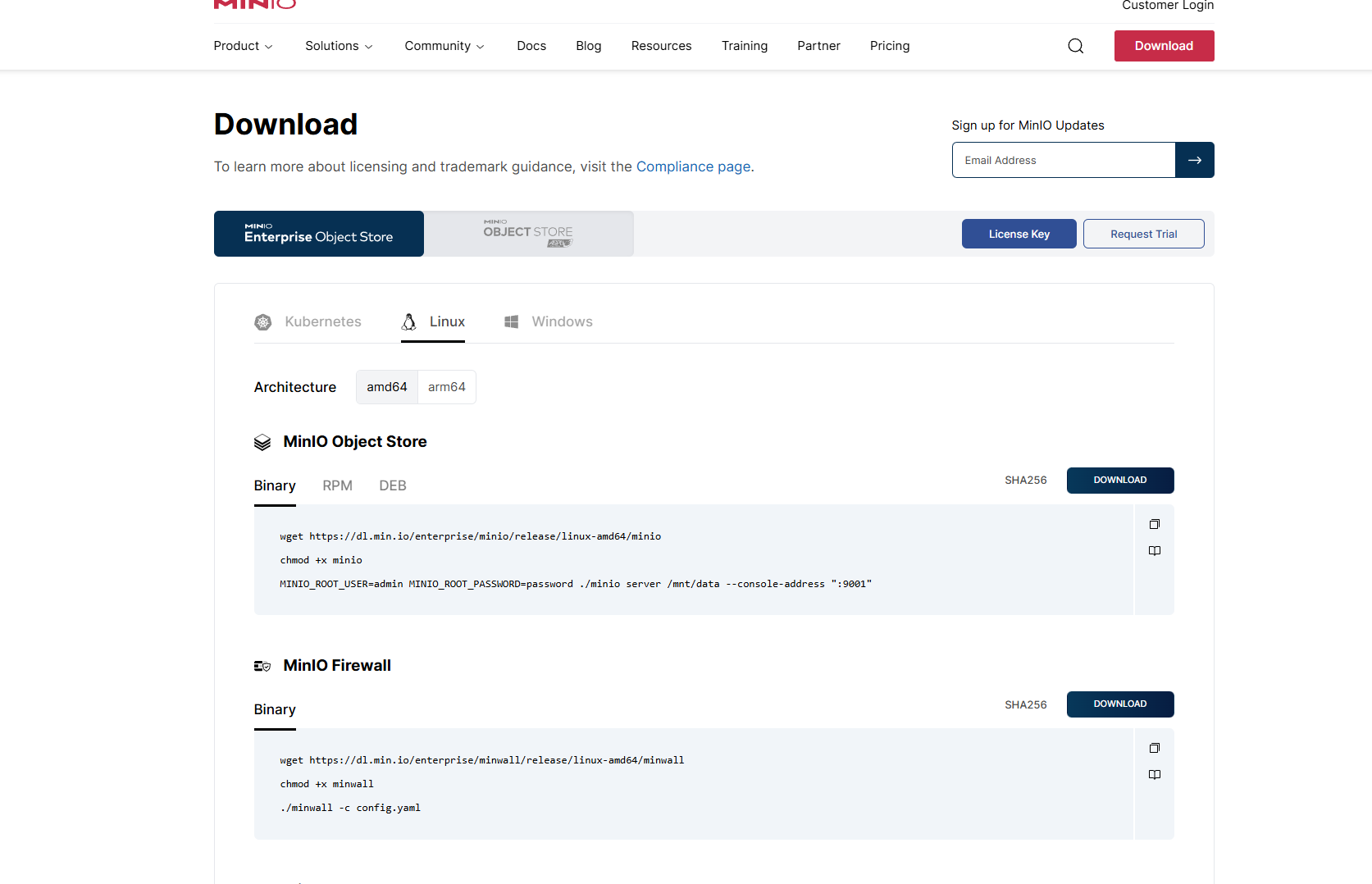
直接下载二进制的就行
1
  wget https://dl.min.io/enterprise/minio/release/linux-amd64/minio
2  chmod +x minio
3  把minio文件存放到usr/local/bin/目录下
4  通过查看minio版本的方式确认minio安装成功yaml代码解读复制代码
5  root@dawenzi:~# minio -v
6  minio version RELEASE.2024-10-13T13-34-11Z (commit-
  id=d10bb7e1b667c2df72c394ef1fa52ab4a6802d0f)
7  Runtime: go1.22.8 linux/amd64
8  License: GNU AGPLv3 - https://www.gnu.org/licenses/agpl-3.0.html
9  Copyright: 2015-2024 MinIO, Inc.
10
11
12  MINIO_ROOT_USER=admin MINIO_ROOT_PASSWORD=password ./minio server /mnt/data --console-
  address ":9001"
创建systemd文件 - 服务配置
在/usr/lib/systemd/system/下新建一个 minio服务配置 文件
1
  bash 代码解读复制代码sudo touch /usr/lib/systemd/system/minio.service
2
打开刚创建的配置文件。熟悉vim的同学用vim就好,不熟悉的话使用gedit等编辑器都行
1
  bash 代码解读复制代码sudo gedit /usr/lib/systemd/system/minio.service
2
注意要用sudo权限打开,不然文件只读不能修改
往配置文件里写入以下内容(这个内容是从官方文档上拷贝下来的,建议读者到官方文档Deploy MinIO: Single-Node
Multi-Drive — MinIO Object Storage for Linux上拷贝)
1
  [Unit]
2  Description=MinIO
3  Documentation=https://min.io/docs/minio/linux/index.html
4  Wants=network-online.target
5  After=network-online.target
6  AssertFileIsExecutable=/usr/bin/minio
7
8  [Service]
9  WorkingDirectory=/usr/bin
10  User=minio-user
11  Group=minio-user
12  ProtectProc=invisible
13  EnvironmentFile=-/etc/minio/minio.conf
14  #ExecStartPre=/bin/bash -c "if [ -z "${MINIO_VOLUMES}" ]; then echo "Variable
  MINIO_VOLUMES not set in /etc/default/minio"; exit 1; fi"
15  ExecStart=/usr/bin/minio server $MINIO_OPTS $MINIO_VOLUMES
16  # MinIO RELEASE.2023-05-04T21-44-30Z adds support for Type=notify
  (https://www.freedesktop.org/software/systemd/man/systemd.service.html#Type=)
17  # This may improve systemctl setups where other services use `After=minio.server`
18  # Uncomment the line to enable the functionality
19  # Type=notify
20  # Let systemd restart this service always
21  #Restart=always
22  #ReStartSec=600
23  # Specifies the maximum file descriptor number that can be opened by this process
24  LimitNOFILE=65536
25  # Specifies the maximum number of threads this process can create
26  TasksMax=infinity
27  # Disable timeout logic and wait until process is stopped
28  TimeoutStopSec=infinity
29  SendSIGKILL=no
30
31  [Install]
32  WantedBy=multi-user.target
33  # Built for ${project.name}-${project.version} (${project.name})
创建环境变量文件
创建环境文件/etc/default/minio,minio会自行读取这个文件。(在上面写的服务配置文件里可以看到
EnvironmentFile=-/etc/default/minio,所以启动minio服务时会自动读取)
1
  bash 代码解读复制代码sudo touch /etc/default/minio
2
往这个文件里写入相关配置(也是官方文档复制)
1
  ini 代码解读复制代码# MINIO_ROOT_USER and MINIO_ROOT_PASSWORD sets the root account for
  the MinIO server.
2  # This user has unrestricted permissions to perform S3 and administrative API operations
  on any resource in the deployment.
3  # Omit to use the default values 'minioadmin:minioadmin'.
4  # MinIO recommends setting non-default values as a best practice, regardless of
  environment.
5
6  MINIO_ROOT_USER=myminioadmin
7  MINIO_ROOT_PASSWORD=minio-secret-key-change-me
8
9  # MINIO_VOLUMES sets the storage volumes or paths to use for the MinIO server.
10  # The specified path uses MinIO expansion notation to denote a sequential series of
  drives between 1 and 4, inclusive.
11  # All drives or paths included in the expanded drive list must exist *and* be empty or
  freshly formatted for MinIO to start successfully.
12
13  MINIO_VOLUMES="/data-{1...4}"
14
15  # MINIO_SERVER_URL sets the hostname of the local machine for use with the MinIO Server.
16  # MinIO assumes your network control plane can correctly resolve this hostname to the
   local machine.
17
18  # Uncomment the following line and replace the value with the correct hostname for the
   local machine.
19
20  #MINIO_SERVER_URL="http://minio.example.net"
21
然后自定义修改管理员用户名变量和管理员密码变量的值(这个是设置minio管理员的账号密码,不要把自己Linux
账户的用户名密码填进去),接着修改磁盘文件夹变量的值。例如:
1
  ini 代码解读复制代码MINIO_ROOT_USER=god
2  MINIO_ROOT_PASSWORD=helpme
3  MINIO_VOLUMES="/mnt/disk{1...4}"
4
如果你的磁盘文件夹名不连续,请自行到官方文档查阅处理方法
保存,退出