Openclaw 集成企业微信
openclaw 支持很多通信工具,国内的飞书、企业微信、钉钉等都有插件支持,本文只介绍企业微信集成方法。
需要先安装openclaw,本文在 openclaw + ollama 本地源码安装 基础上进行操作。
插件介绍
openclaw 在当前版本没有直接集成企业微信,想要使用企业微信只能自己安装相关插件来集成企业微信,企业微信有官方插件 ,但是官方插件支持的功能较少,不支持调用agent,但是有些基于官方插件开发的三方插件功能很多支持调用agent,所以本文采用三方插件sunnoy/wecom ,两个插件的区别之处请访问sunnoy/wecom 查看。
企业微信配置
请参考官方文档 OpenClaw如何接入企业微信智能机器人
插件安装
pnpm openclaw plugins install @sunnoy/wecom
从官方插件迁移: 如果之前使用 openclaw plugins install @wecom/wecom-openclaw-plugin,请先卸载官方插件再安装本插件。channels.wecom 配置字段兼容,无需修改。
出现如下提示就是安装成功:
Installed plugin: wecom
Restart the gateway to load plugins.
如果有如下警告:
plugins.allow is empty; discovered non-bundled plugins may auto-load: wecom (C:\Users\douxl\.openclaw\extensions\.openclaw-install-stage-qisePB\index.js). Set plugins.allow to explicit trusted ids.
请在配置文件中加入如下配置
 "plugins": {
    "allow": [
      "wecom"
    ],
    "entries": {
      "wecom": {
        "enabled": true
      }
    }
  }
配置插件
执行添加插件命令
pnpm openclaw channels add

┌  Channel setup
│
◇  Channel status ────────────────────────────╮
│                                             │
│  Telegram: needs token                      │
│  WhatsApp (default): not linked             │
│  Discord: needs token                       │
│  Slack: needs tokens                        │
│  Signal: needs setup                        │
│  signal-cli: missing (signal-cli)           │
│  iMessage: needs setup                      │
│  imsg: missing (imsg)                       │
│  企业微信: 需要 Bot ID 和 Secret            │
│  IRC: not configured                        │
│  Google Chat: not configured                │
│  LINE: not configured                       │
│  Feishu: install plugin to enable           │
│  Google Chat: install plugin to enable      │
│  Nostr: install plugin to enable            │
│  Microsoft Teams: install plugin to enable  │
│  Mattermost: install plugin to enable       │
│  Nextcloud Talk: install plugin to enable   │
│  Matrix: install plugin to enable           │
│  BlueBubbles: install plugin to enable      │
│  LINE: install plugin to enable             │
│  Zalo: install plugin to enable             │
│  Zalo Personal: install plugin to enable    │
│  Synology Chat: install plugin to enable    │
│  Tlon: install plugin to enable             │
│                                             │
├─────────────────────────────────────────────╯
│
◆  Configure chat channels now?
│  ● Yes / ○ No
选择yes,然后选择 [Enterprise WeChat (AI Bot)]
◇  Select a channel
│  Enterprise WeChat (AI Bot)
│
◇  企业微信机器人 Bot ID
│  XXXXXXXXXXXXXXXXXXXXXXXXXXXXXXXXX
│
◇  企业微信机器人 Secret
│  XXXXXXXXXXXXXXXXXXXXXXXXXXXXXXXXX
│
◇  企业微信 WebSocket 地址(留空使用官方默认地址)
│  wss://openws.work.weixin.qq.com
│
◆  Select a channel  # 以上配置完了,下面直接选择● Finished (Done)
│  ○ Telegram (Bot API)
│  ○ WhatsApp (QR link)
│  ○ Discord (Bot API)
│  ○ IRC (Server + Nick)
│  ○ Google Chat (Chat API)
│  ○ Slack (Socket Mode)
│  ○ Signal (signal-cli)
│  ○ iMessage (imsg)
│  ○ LINE (Messaging API)
│  ○ Enterprise WeChat (AI Bot)
│  ○ Feishu/Lark (飞书)
│  ○ Nostr (NIP-04 DMs)
│  ○ Microsoft Teams (Bot Framework)
│  ○ Mattermost (plugin)
│  ○ Nextcloud Talk (self-hosted)
│  ○ Matrix (plugin)
│  ○ BlueBubbles (macOS app)
│  ○ Zalo (Bot API)
│  ○ Zalo (Personal Account)
│  ○ Synology Chat (Webhook)
│  ○ Tlon (Urbit)
│  ● Finished (Done)
└
◇  Configure DM access policies now? (default: pairing)  #注意这里是访问规则,默认为pairing
│  No
│
◇  Add display names for these accounts? (optional)
│  No
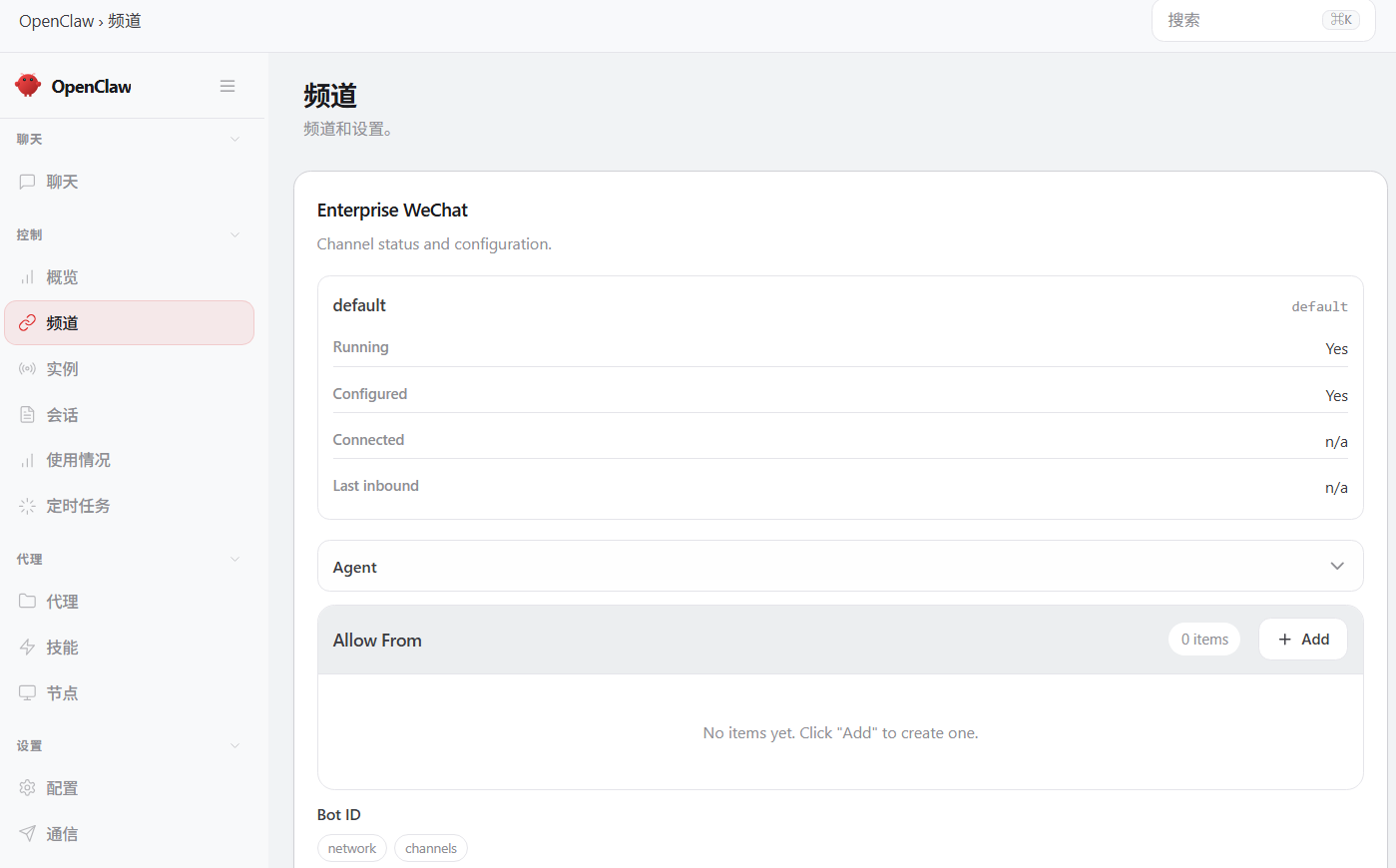
到此企业微信配置完成,访问openclaw可以看到配置的channel
使用插件
以上配置完了,你在企业微信机器人中发消息,会提示
OpenClaw: access not configured.

您的企业微信用户ID: DouXiaoLiang

Pairing code: ZXVKJFZP

Ask the bot owner to approve with:
openclaw pairing approve wecom ZXVXXXXP
这个时候需要你在openclaw中审批这个code
pnpm openclaw pairing approve wecom ZXVXXXXP
出现 如下提示 既是审批通过
Approved wecom sender dawenzi.
这是你就可以正常使用了