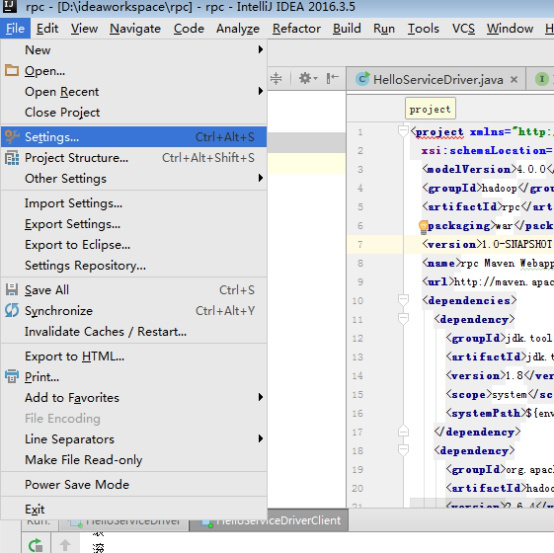
idea下配置Maven
1,进入到
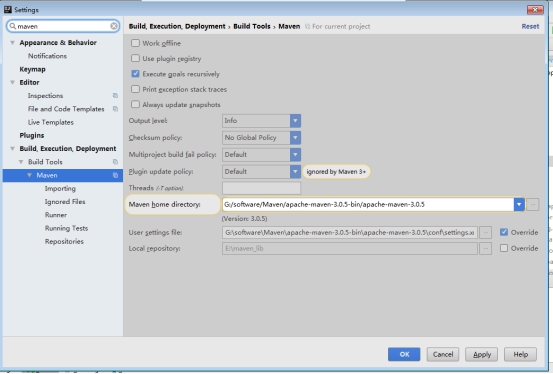
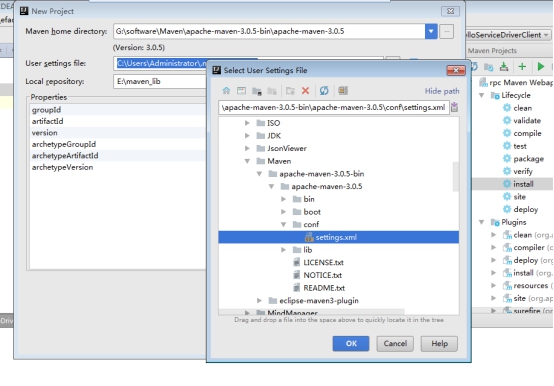
G:\software\Maven\apache-maven-3.0.5-bin\apache-maven-3.0.5 目录中
找到 conf 目录下的 settings.xml
  <mirror>
<id>alimaven</id>
<name>aliyun maven</name>
<url>http://maven.aliyun.com/nexus/content/groups/public/</url>
<mirrorOf>central</mirrorOf>
  </mirror>
更改你的 maven库文件路径 如
<localRepository>E:\maven_lib</localRepository>


idea下maven配置.doc 290.5KB


idea下maven配置.doc 290.5KB